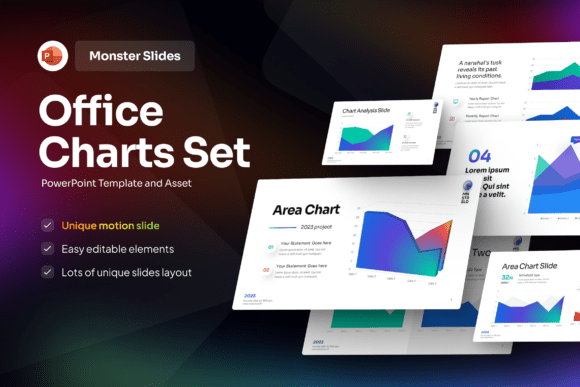
Office Chart Set PowerPoint Template: A Practical Choice for Data-Driven Presentations
When preparing reports, strategy reviews, or stakeholder updates, clarity matters more than decoration. The Office Chart Set PowerPoint Template is designed for professionals who need to communicate metrics, trends, and comparisons with precision—not just polish. Unlike generic presentation templates that prioritize visual flair over function, this set centers on chart-based storytelling: clean layouts, consistent styling, and structural logic built around real-world business data scenarios.
What Makes the Office Chart Set PowerPoint Template Distinct?
This isn’t a collection of decorative slides with placeholder charts. It’s a cohesive system—10 unique slides backed by 90 XML files—that supports dynamic data integration while preserving design integrity. Each slide serves a defined analytical purpose: comparative bar analysis, multi-year trend visualization, KPI dashboards, process-to-outcome mapping, and segmented performance breakdowns. The underlying XML structure allows users to update values, labels, and categories without breaking alignment or color logic—a practical advantage over static image-based infographics.
The template uses Microsoft Office’s native theme engine. That means colors, fonts, and effects adapt automatically when you apply a company-wide theme in PowerPoint—no manual overrides required. This consistency helps maintain brand coherence across departments, especially in organizations where multiple teams contribute to a single deck. All elements are fully editable: shapes, text boxes, icons, and chart axes respond to standard PowerPoint tools, not proprietary editors or external software.
How It Compares With Other Presentation Resources
Many users begin their search with broad terms like “PowerPoint charts” or “business infographic template.” What they often find falls into three categories:
- Free or low-cost template marketplaces: These offer variety but rarely ensure compatibility across PowerPoint versions, accessibility compliance (e.g., alt-text readiness), or scalable vector assets. Charts may rely on raster images or ungrouped objects, making edits time-consuming or impossible.
- Custom design services: Agencies or freelancers can build bespoke chart decks—but at higher cost, longer turnaround, and less flexibility for future revisions. You own the final file, but not necessarily the editable logic behind it.
- DIY charting in PowerPoint or Excel: While flexible, this approach demands significant time investment per slide, increases risk of inconsistent styling, and often results in cluttered visuals when trying to convey layered insights.
The Office Chart Set PowerPoint Template sits between those options: more structured and production-ready than DIY, more adaptable and cost-efficient than custom builds, and more technically sound than most free alternatives. It doesn’t replace data analysis—but it does reduce the friction between analysis and communication.
Strengths and Realistic Tradeoffs
Strengths include:
- Consistency without rigidity: Theme-aware colors and spacing mean your finance team’s Q3 report looks aligned with marketing’s campaign review—even if created separately.
- Time efficiency for recurring formats: If your team regularly presents quarterly goals vs. actuals, regional breakdowns, or before/after metrics, reusing and updating these slides saves hours per cycle.
- Accessibility-aware structure: Text remains editable and selectable; charts use semantic grouping rather than flattened graphics—supporting screen readers and translation tools more reliably than image-heavy alternatives.
Tradeoffs to consider:
- It assumes familiarity with PowerPoint’s chart editing tools. Users expecting drag-and-drop data import from CSV or live Excel links will need to paste values manually—this is intentional, as it avoids version conflicts and keeps the file lightweight.
- Image assets (photographs, illustrations) are excluded—by design. This keeps file size small and licensing clear, but means you’ll source supporting visuals separately.
- While fully customizable, it doesn’t include animated transitions or interactive elements (e.g., clickable navigation). It prioritizes clarity in printed handouts and static exports as much as on-screen delivery.
When the Office Chart Set PowerPoint Template Fits—and When It Doesn’t
This template works best when your goal is repeatable, credible, and stakeholder-ready communication. For example:
- A regional sales manager preparing monthly territory reviews for leadership—using the same dashboard layout each time, only updating figures and annotations.
- An internal audit team presenting compliance findings across departments—relying on standardized comparison charts to highlight gaps consistently.
- A product team aligning engineering, marketing, and support around roadmap milestones—using timeline and milestone slides that reflect shared definitions of “done” and “delivered.”
It’s less suited for situations requiring:
- Highly narrative or experiential presentations, such as investor pitches where emotional resonance or cinematic flow outweighs data density.
- Real-time data feeds, like live dashboards synced to cloud databases—this template is static by nature and optimized for controlled, reviewed outputs.
- Brands with complex visual systems that go beyond Office theme colors—while customizable, it relies on PowerPoint’s native theming model, which has limits in gradient control, variable fonts, or advanced layer effects.
Practical Evaluation Tips
Before choosing any chart-focused template—including the Office Chart Set PowerPoint Template—ask yourself:
- What’s my primary output format? If most decks are shared as PDFs or printed, simplicity and typographic legibility matter more than animation. This template excels there.
- Who else edits or reuses these slides? If multiple contributors work across different Office versions, native compatibility (like that offered here) reduces formatting surprises.
- How frequently do I revise charts? If updates happen weekly or biweekly, having a reliable base structure saves more time than starting from scratch—even with robust built-in PowerPoint chart tools.
- Do I need documentation or support? The included help guide covers customization steps, XML file roles, and theme application—useful for teams onboarding new members or scaling usage.
RRGraph Design, the team behind this resource, emphasizes long-term usability over one-time impact. Their work with over 1,000 companies reflects an understanding that presentation effectiveness isn’t measured in likes or downloads—it’s measured in whether the right people understood the right numbers, made informed decisions, and remembered key takeaways days later.
Making a Grounded Choice
No template eliminates the need for thoughtful data interpretation. But the Office Chart Set PowerPoint Template removes common roadblocks: inconsistent styling, version-related breakage, inaccessible visuals, and inefficient editing workflows. It won’t make your data more insightful—but it gives insight a clearer, more trustworthy voice.
If your current process involves rebuilding similar charts repeatedly, struggling to match branding across departments, or spending disproportionate time fixing formatting instead of refining messages, this template offers tangible workflow benefits. If your needs lean toward experimental storytelling, live interactivity, or highly specialized industry visuals, evaluating complementary tools—or combining this set with targeted custom work—may be the more balanced path.
Ultimately, the best presentation resource isn’t the flashiest or cheapest—it’s the one that supports your team’s real work, day after day, without getting in the way.