FREE Sketch Piano Icon: Simple, Scalable & Stylish
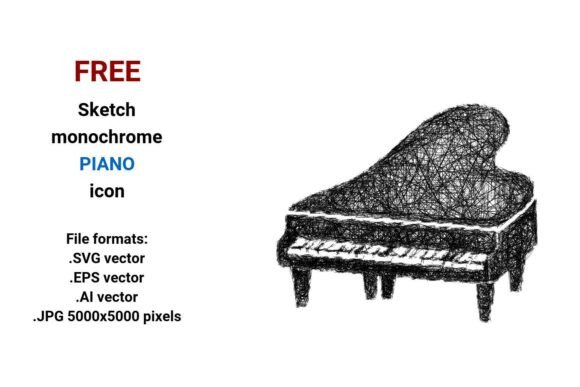
If you're designing a music-themed website, creating educational materials, or building an app interface, a clean, expressive piano icon can make all the difference. The FREE Sketch Piano Icon delivers exactly that — a hand-drawn, monochrome representation of a grand piano, designed with clarity and flexibility in mind. It’s not overly detailed or photorealistic. Instead, it uses confident strokes, gentle curves, and thoughtful negative space to evoke the elegance of a keyboard while staying light and modern.
What Makes This Sketch Piano Icon So Useful?
This isn’t just another generic piano graphic. It’s a vector-based sketch icon — meaning every line is mathematically defined, not pixel-based. That gives you freedom: scale it from a tiny 16-pixel button icon to a full-page banner without blurriness or jagged edges. Whether you’re placing it on a blog sidebar, embedding it in a mobile UI, or printing it on workshop handouts, the quality stays sharp.
The set includes four ready-to-use file formats:
- .SVG — ideal for websites and apps (lightweight, responsive, supports transparency)
- .EPS — widely supported by print designers and desktop publishing tools
- .AI — perfect if you use Adobe Illustrator and want full editability (layers, paths, colors)
- .JPG — high-res 5000×5000 pixels, great for presentations, social media graphics, or quick mockups
Who Benefits Most From This Icon?
Beginners learning music theory might use it to label practice sections in digital flashcards or Notion templates. Educators building online courses can drop it into slide decks or LMS dashboards to signal “music module” at a glance. Freelancers designing landing pages for piano teachers often need a tasteful, non-distracting piano button or web icon vector — this fits perfectly.
Small business owners running music schools, instrument repair shops, or sheet music blogs appreciate how easily it integrates into branding. You can pair it with a clean sans-serif font for a logo lockup, use it as a favicon, or animate it subtly in a hero section. Because it’s monochrome and stroke-based, it adapts effortlessly to light or dark themes — no color matching required.
Real-World Uses You Can Start Today
Here are practical, no-fuss examples:
- Add the .SVG version as a navigation icon labeled “Lessons” on a piano teacher’s website — it loads fast and scales cleanly on phones and tablets.
- Import the .AI file into your design tool, recolor one stroke blue, and use it as a highlighted “Play Demo” button in a music software tutorial.
- Drop the .JPG into Canva or PowerPoint to illustrate a “Music & Wellness” workshop flyer — its hand-drawn charm feels warm and human, not sterile.
- Use the .EPS in a printed brochure for a community arts center — crisp at any size, even when reduced to thumbnail size next to other infographic sketch icons.
Why Choose Sketch Over Photographic or Flat Icons?
A sketch-style piano icon brings personality without sacrificing professionalism. Unlike flat icons — which can feel generic — or photos — which add visual weight and licensing complexity — this version balances simplicity and character. Its hand-drawn icon quality suggests creativity, approachability, and craft. That’s especially valuable if your audience includes learners, hobbyists, or families exploring music for the first time.
It also avoids visual clutter. No shadows, gradients, or textures compete with surrounding content. That makes it ideal for UI buttons, website sketch icons, or minimalist interfaces where clarity matters more than decoration.
Things to Keep in Mind Before Using It
While this FREE Sketch Piano Icon is versatile, consider your context:
- Color needs: All versions are black-and-white. If your project requires color, you’ll need to adjust the SVG or AI file yourself (it’s easy in most vector editors).
- Editing comfort: The .AI and .EPS files give you full control over paths and layers — but if you only work in Canva or Google Slides, stick with the .SVG or .JPG.
- Licensing: It’s free for personal and commercial use — no attribution required — but always double-check the source license before using in client work or products you sell.
- Style consistency: If your brand uses bold, geometric icons, this soft, curved sketch may feel tonally different. Try pairing it with similarly loose, organic elements for harmony.
A Thoughtful Tool for Real Projects
The FREE Sketch Piano Icon stands out because it serves both function and feeling. It communicates “piano” instantly, works across devices and mediums, and carries a quiet sense of artistry. Whether you’re sketching a wireframe, launching a new music blog, or preparing classroom visuals, having a reliable, scalable, and expressive piano vector saves time and strengthens your message. And with four formats included — from web-ready .SVG to print-perfect .EPS — you’re covered, no matter where your project takes you.